
QR Menus for Restaurants: Where to Place Them and What Guests Expect
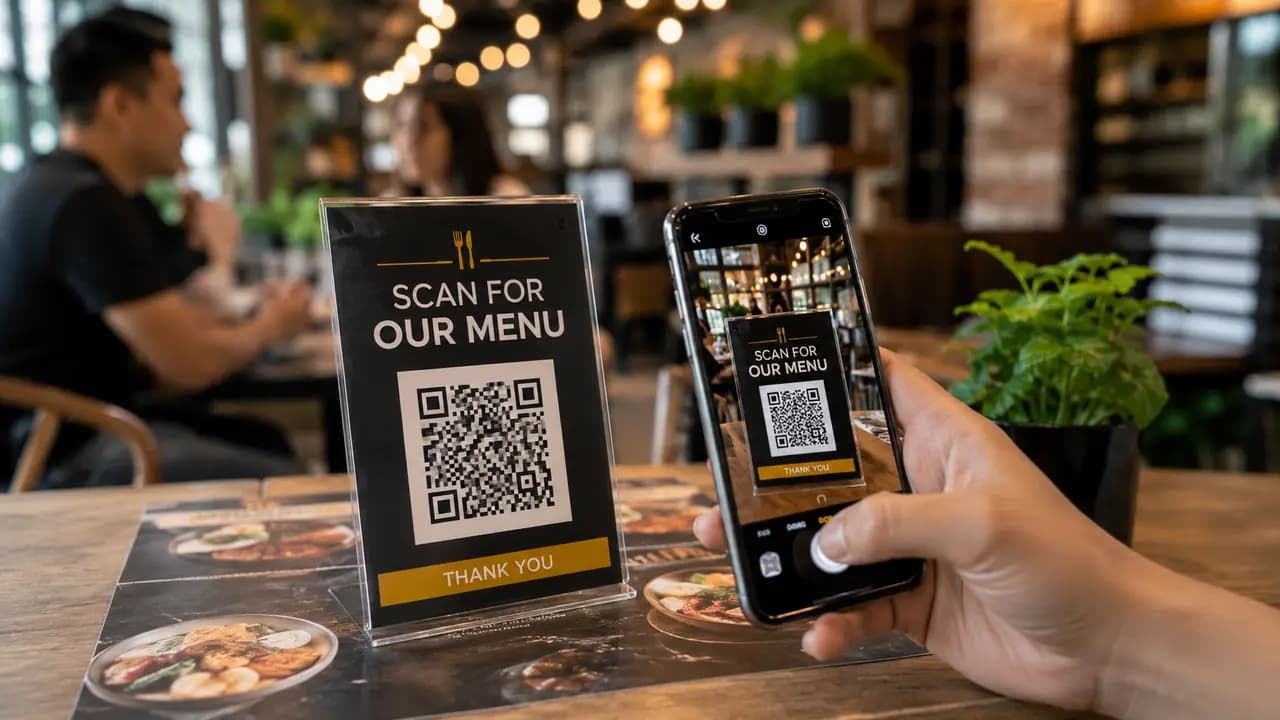
A restaurant menu is not just a list of dishes. It is one of the first decision-making tools a guest touches after choosing where to sit. For years that tool was almost always printed: laminated sheets, folded cards, leather folders, chalkboards, table inserts, or takeaway leaflets. A QR menu changes the process. Instead of handing every guest the same printed object, a restaurant can place one scannable code on a table, poster, counter, receipt, or package and lead guests to an updated digital menu. This guide looks at how QR menus actually behave in restaurants: where guests scan them, what makes them useful, when they fail, and how to use them without making the experience feel cold or inconvenient. It stays focused on the menu itself; table ordering, payments, and review collection are covered in our broader restaurant piece.
Why Restaurants Started Moving Toward QR Menus
QR menus became popular because they solved several restaurant problems at once. A digital menu can be updated faster than a printed one, which matters when prices, ingredients, seasonal dishes, or availability change.
The advantage is practical. A printed menu becomes outdated the moment a dish is unavailable or a price changes. A QR menu can be edited once and opened by every guest from the same table card. That does not make printed menus useless. It means restaurants now have a more flexible option for daily service, and most of the value shows up in the small daily friction that disappears.
Where Restaurants Place Menu QR Codes
There is no single correct spot for a Menu QR code. Different placements serve different moments in the guest's visit, and each one has a clear job.
- Table card: a code placed directly on the table where guests sit.
- Entrance poster: a code near the door for guests checking the menu before entering.
- Counter stand: a code beside the cashier or ordering point.
- Receipt QR: a code printed or placed near the receipt for repeat visits and feedback.
- Takeaway packaging: a code sticker on bags, boxes, or cups.
Each placement targets a different intent. A table card helps a seated guest choose food. An entrance poster helps a passerby decide whether to stay. A takeaway code works after the meal, often as a return trigger rather than an ordering tool.
Why Table Placement Usually Works Best
If you had to pick one location, the table is generally the strongest choice. That is where the guest actually needs the menu, has time to sit and scan, and is close enough to the code for a phone camera to lock on quickly. A code at the table meets the guest exactly at the moment of the decision, with no walking, no glare from a window, and no competing distractions.
Other placements are useful, but they ask the guest to scan at a less convenient moment. A counter stand competes with the act of ordering. An entrance poster relies on a passerby stopping outside. Takeaway packaging is read later, often at home. The practical lesson for owners is straightforward: put the QR menu where the guest makes the decision, not only where the layout looks tidy.
What Guests Expect After Scanning
The code is only the doorway. Once a guest opens the menu, a few expectations decide whether the experience feels smooth or frustrating.
- Fast opening: the menu should load quickly on mobile internet, without a heavy splash screen.
- Readable dish names: guests should be able to read the menu at a glance rather than zoom into a shrunken document.
- Clear categories: starters, mains, desserts, drinks, lunch sets, and specials should be easy to find.
- Accurate prices: the digital menu must match what staff and the bill say.
- Allergen and ingredient notes: these are especially valuable for guests with dietary restrictions.
- Photos only where helpful: too many heavy images can slow the menu down and bury the text.
A QR code can bring the guest to the menu, but the menu itself has to finish the job. A well-placed code paired with a slow or cramped page usually feels worse than the paper card it replaced.
Case 1: A Small Cafe With a Rotating Menu
Consider a small café whose offerings change often - soups, desserts, breakfast sets, and seasonal drinks that rarely stay the same for more than a few days. Reprinting paper menus on that schedule would be wasteful and tedious. A QR menu fits this situation well because daily edits cost nothing and reach every guest at once: the printed code never changes, only the page behind it.
Wording on the table card matters here. A card that says "Scan to view today's menu" tends to invite more confident scanning than one that only says "Menu." The vague version still works, but guests hesitate more because it does not tell them what they will get. A short instruction removes that hesitation.
Case 2: A Casual Restaurant With Lunch and Dinner Changes
A casual restaurant with different lunch and dinner offers can use the QR menu to keep the two clearly separated. Guests scanning at noon can be sent straight to lunch items, while evening guests see the full menu and drinks list first. That reduces confusion and makes the digital menu feel relevant to the time of day rather than generic.
Lunch scanning tends to be brisk because midday guests want a quick decision, so the first screen should surface the right category immediately. Dinner behaves more like browsing, where guests are willing to scroll through the full range. A receipt QR aimed at a return offer plays a longer game, usually rewarding the visit rather than the current order.
Case 3: An Entrance Menu Preview
An entrance code behaves differently from a code at the table. People use it before committing. Some scan outside to check prices, vegetarian options, kids' meals, or simply whether the place matches their mood that evening. This placement rarely produces the highest scan rate, but it shapes decisions before a guest ever sits down, which gives it real value even when volume is modest.
Restaurant articles often note that QR menus can improve convenience and reduce operating friction when implemented well. The entrance placement supports that idea, but only when the code is large enough, free of glare, and paired with a direct phrase such as "Scan to see our full menu."
Where QR Menus Save Restaurant Costs
The savings go beyond printing fewer menus, though that is part of it. A QR menu also reduces the hidden cost of outdated information. When the kitchen removes an item, the menu can be corrected in minutes. When a seasonal drink is added, it can appear the same day. When a price changes, staff no longer have to explain why the printed card is wrong.
Add up fewer reprints, less paper waste, faster seasonal updates, and a cleaner table setup, and the result is a modest but steady saving that compounds with every menu change. There are revenue-side benefits too - faster ordering, tighter control over specials and visibility - but those follow from good execution rather than from the code alone.
When QR Menus Can Annoy Guests
A QR menu fails when a restaurant treats it as a replacement for hospitality instead of a service tool. Guests get irritated when the mobile signal is weak, the menu opens slowly, the code is scratched, the page throws pop-ups, or the venue refuses to offer any printed option for people who need one. The code should make ordering easier, not turn into a small test of patience before dinner.
The most common technical mistake is uploading a large PDF built for print. On a phone that usually means tiny text, slow loading, awkward zooming, and poor navigation. A genuine digital menu is built for mobile reading from the start, with text that reflows and categories that are easy to tap.
Practical Rules for Restaurant QR Menus
- Place the code on every table. One entrance poster is not enough for seated guests.
- Use simple wording. A verb and an object ("Scan to view the menu") beat a bare label.
- Test the printed card. Check scanning distance, lighting, table angle, and glare before service.
- Keep the menu lightweight. A slow page feels worse than a printed one.
- Update availability quickly. If an item is gone, remove it or mark it clearly.
- Keep a few printed menus on hand. Not every guest wants to use a phone, and some cannot.
Most of the outcome is decided here. The QR code is the simple part; the service design around it is what determines whether guests appreciate the change.
Menu QR Codes and Customer Experience
Guests rarely care whether a restaurant has adopted a digital tool. They care whether choosing food is easy. A QR menu helps when it gives faster access to dishes, clear prices, drink options, allergen notes, and current specials. It hurts when it adds a layer of friction between the guest and the food.
The convenience is supposed to belong to the guest, not only to the manager. A menu that saves the restaurant printing costs but makes a table of four squint at a slow page has not removed the cost - it has moved it onto the customer.
What Restaurants Should Measure
One quiet benefit of a QR menu is that it can tell you how guests use it, something a paper card never could. (QR code analytics covers what scan data can and cannot tell you.)
- Scans per table: shows whether table placement is working.
- Scans by time: breakfast, lunch, dinner, and late-night traffic behave differently.
- Most-opened categories: reveals interest in drinks, desserts, specials, or kids' meals.
- Repeat scans: useful for takeaway packaging and receipt codes.
- Drop-off after scan: signals whether the menu page loads too slowly or looks confusing.
Treated this way, a QR menu becomes a small analytics point inside daily service, and the numbers can guide where to put codes next.
QR Menus for Takeaway and Delivery
Takeaway packaging is a quiet but useful place for a Menu QR code. The customer has already bought once, so the code can lead to the full menu, a repeat-order page, seasonal offers, a loyalty program, or a feedback form. It does not interrupt the meal. It simply stays with the bag, box, or cup until the customer is ready.
In practice, takeaway codes work less as an instant menu and more as a return trigger after the customer has left. That fits the moment. Someone holding a pizza box at home is not choosing a first order; they may be thinking about the next one, which is exactly when a well-placed code earns its keep. (Food trucks live almost entirely in this mode - we cover them separately.)
Printed Menus vs QR Menus: The Better Restaurant Setup
The strongest setup is often hybrid. QR menus handle updates, details, translations, and quick access. Printed menus stay useful for guests who prefer paper, have a low battery, struggle with small screens, or simply want a traditional dining experience. There is no reason to frame this as a battle between old and new; each format is stronger in different situations.
A QR menu is especially good for changing information. A printed menu still carries atmosphere. A thoughtful restaurant can use digital speed without giving up warmth, and most venues land on some mix of the two.
Creating the Code Is the Short Part
With QR-ScanMe the mechanics take a few minutes: generate a Menu QR code, connect it to the menu page, and print it wherever guests need it - table tents, entrance signs, counter cards, receipts, or delivery packaging. Outdoor seating deserves a mention here too: a laminated code on a stand survives wind and spilled coffee far better than a paper menu. Everything above about size, wording, and testing applies from the moment the card leaves the printer.
Bringing It Together
QR menus perform best when they are treated as part of the ordering experience rather than a technology trend. The results that matter come from clear placement, short instructions, mobile-friendly menu pages, accurate information, and enough testing before anything is printed. A table card speeds up menu access, an entrance code helps guests decide, and a takeaway code can bring customers back later.
For restaurants, the payoff is concrete: fewer outdated menus, faster updates, easier access to dish details, and a smoother path from a guest's curiosity to an actual order. For guests, it is simpler still - scan, open, choose.