
Scan to Learn: Smart Ways Schools and Universities Can Use QR Codes in Education
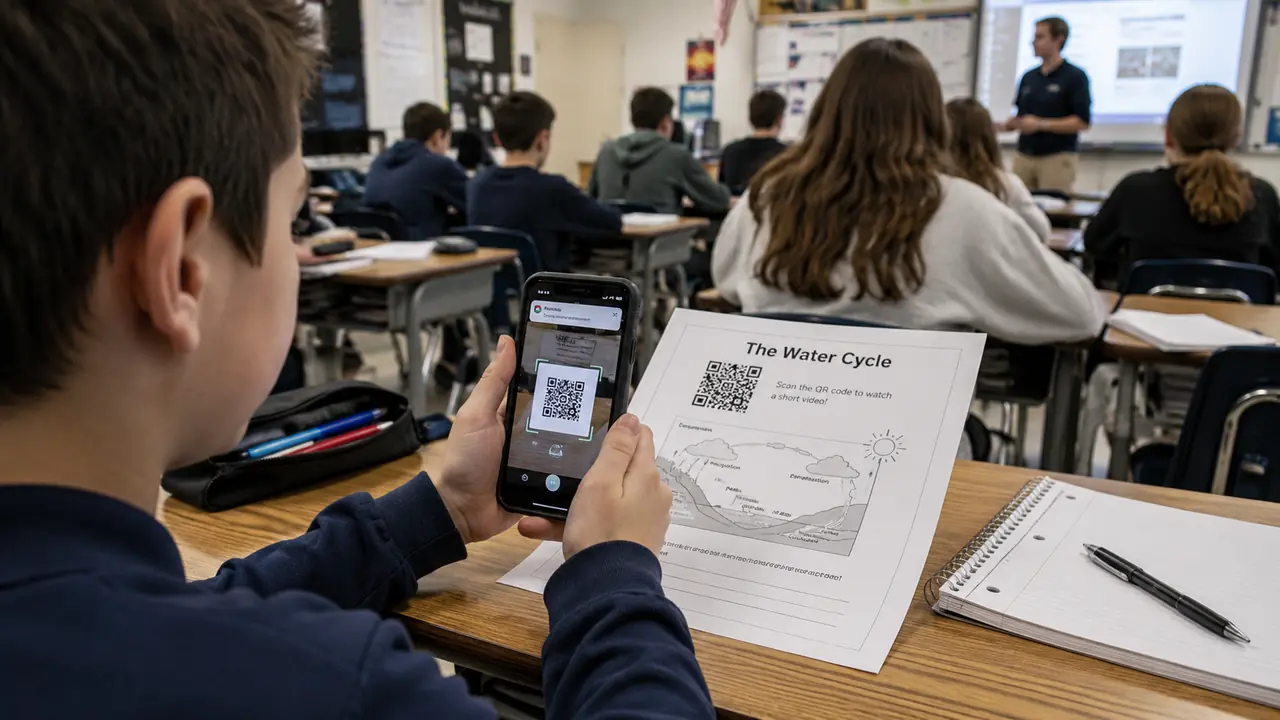
Education has always used tools to make learning easier. Chalkboards, textbooks, projectors, whiteboards, tablets, learning apps, online portals - and, somewhere in the middle of all that, the humble QR code.
It may not look exciting at first. A QR code is just a small square pattern sitting on a poster, worksheet, classroom wall, student ID, book, or campus sign. But in schools and universities, that small square can quietly solve many practical problems - one of the many everyday places QR codes now show up.
Faster access to resources, fewer printed handouts, interactive classroom stations, parent updates, campus navigation, attendance, event registration, library access, student support - the list of chores it quietly absorbs is long.
QR codes make education a little less "Where is that link?" and a little more "Scan this and you're there."
Which, frankly, is a public service.
Why QR Codes Work Well in Education
Schools and universities are information-heavy places. There are schedules, forms, assignments, reading lists, announcements, maps, event details, safety rules, library resources, club pages, cafeteria menus, feedback forms, and dozens of links that somehow always end up buried in an email thread called "Important Update Final Version 2."
QR codes are useful because they connect physical spaces to digital resources. (Curious what is inside the square? See how QR codes actually work.)
A code on a classroom poster can lead to a lesson video. A code on a worksheet can open a quiz. A code on a campus map can guide students to a building. A code on a library shelf can open a research database. A code on a student support flyer can lead to counselling resources.
The benefit is simple: fewer steps.
Instead of asking students to type a long URL, search through a learning portal, or scroll through old messages, a QR code gives them direct access. That speed matters, especially in classrooms where attention can disappear faster than a pencil during exam week.
1. Link Printed Worksheets to Digital Resources
Printed worksheets are still common, and they can be useful. But QR codes can make them more interactive. (They also help cut paper and printing costs.)
A teacher can place a QR code on a worksheet that links to a video explanation, audio file, interactive quiz, answer key, vocabulary list, simulation, or extra reading. This turns a flat paper activity into a blended learning experience.
For example, a biology worksheet about cells could link to a short animation. A language worksheet could link to pronunciation audio. A math worksheet could link to a step-by-step example. A history worksheet could link to a virtual museum exhibit.
A platform like Khan Academy is a good example of how short educational videos can support independent learning. A teacher does not need to create every resource from scratch. A QR code can guide students to a helpful video or practice activity in seconds.
This also helps students who need to revisit explanations at home. The lesson does not vanish when the bell rings - it waits inside the tiny square.
2. Create Classroom Stations and Learning Paths
QR codes are excellent for station-based learning. Instead of giving every student the same task at the same time, teachers can place QR codes around the classroom, each linking to a different activity.
One station might open a short video. Another might link to a quiz. Another might show a reading passage. Another might start a reflection form. Students move around, scan, complete the activity, and continue to the next station.
This works well for:
- Science labs
- Language learning
- History timelines
- Art analysis
- Reading comprehension
- Math practice
- Geography activities
- Career exploration
- Group projects
- Review lessons
The format gives students movement, variety, and more control. It also prevents the classroom from feeling like one long slideshow with fluorescent lighting.
A teacher using tools like Google Forms, Quizizz, Kahoot!, or Nearpod can create quick digital activities and attach them to QR codes. The setup can be simple, but the experience feels more interactive.
Students scan, respond, and move on - and the teacher gets fewer "What are we doing now?" questions. A small miracle.
3. Make Attendance Faster
Attendance can take more time than anyone wants to admit. In large lectures, university seminars, workshops, after-school programs, and campus events, QR codes can make check-in faster.
A teacher or administrator can display a QR code at the entrance or on a screen. Students scan it and submit their name, student ID, or email through a form. For universities, the code can connect to attendance software, event management tools, or a learning management system.
This is especially useful for:
- Large lectures
- Guest talks
- Student workshops
- Orientation sessions
- Club meetings
- Lab safety briefings
- Career fairs
- Training programs
- Parent meetings
- Campus tours
A university using platforms like Canvas, Moodle, Blackboard, or Google Workspace for Education can connect QR-based attendance to existing digital workflows.
Of course, attendance QR codes should be managed carefully. If the same code stays visible too long, students may share it with friends who are "spiritually present" but physically still in bed. Time-limited codes or rotating check-ins can help reduce that problem.
4. Help Students Find Campus Resources
Universities and larger schools can feel confusing, especially for new students. The library is in one building. Financial aid is in another. The counselling office is upstairs somewhere. The room numbering system appears to have been designed during a minor architectural argument.
QR codes can make campus navigation easier.
A QR code on a sign can link to:
- Campus maps
- Building directories
- Office hours
- Student support services
- Library resources
- Cafeteria menus
- Parking information
- Event calendars
- Accessibility routes
- Emergency contacts
For example, a new student standing outside the science building could scan a QR code to see room locations, lab rules, and department contacts. A visitor attending an open day could scan codes around campus to find admissions, tours, parking, and program information.
Large universities already use digital portals and apps, but QR codes provide a direct bridge from the physical campus to those tools. Smaller colleges can use the same idea with a simple mobile-friendly map.
Nobody should need a treasure map to find Student Services.
Unless the university mascot is a pirate. Then maybe.
5. Improve Library Access and Research Support
Libraries are perfect places for QR codes because they already connect physical materials to deeper information.
A QR code on a shelf can link to a subject guide. A code near a printer can show printing instructions. A code inside a book display can lead to an online reading list. A code near a research desk can open appointment booking with a librarian.
University libraries can use QR codes for:
- Database access
- Citation guides
- Research tutorials
- Book reservation pages
- Library maps
- Study room booking
- Digital archives
- Academic integrity resources
- Referencing style guides
- New student library tours
A student writing a paper may scan a QR code near the history section and open a guide to primary sources. Another student may scan a code near study rooms to check availability. Someone else may scan a code about APA citation because citation styles exist to test human patience.
Brands and platforms like JSTOR, EBSCO, ProQuest, and Google Scholar are already part of academic research habits. QR codes simply help students reach the right research pathway faster.
A library QR code should not just say "resources." It should say exactly what the student gets: "Scan for biology databases" or "Scan to book a study room."
Small Codes, Smarter Learning
QR codes will not replace good teaching, and nobody is claiming they should. What they replace is the wasted minutes: hunting for the right link, retyping a URL from the whiteboard, digging through an email thread for the permission form.
For educators, the practical question is not "Where can we add a QR code?" but "Where are students, parents, or staff losing time trying to reach information?" Put a code at each of those points and stop there.
And in education, that alone deserves a gold star.
Setting up a class or campus code? Create a free PDF QR code for the worksheet, or link straight to the quiz or map students need.