
Inside the Square: How QR Codes Actually Work
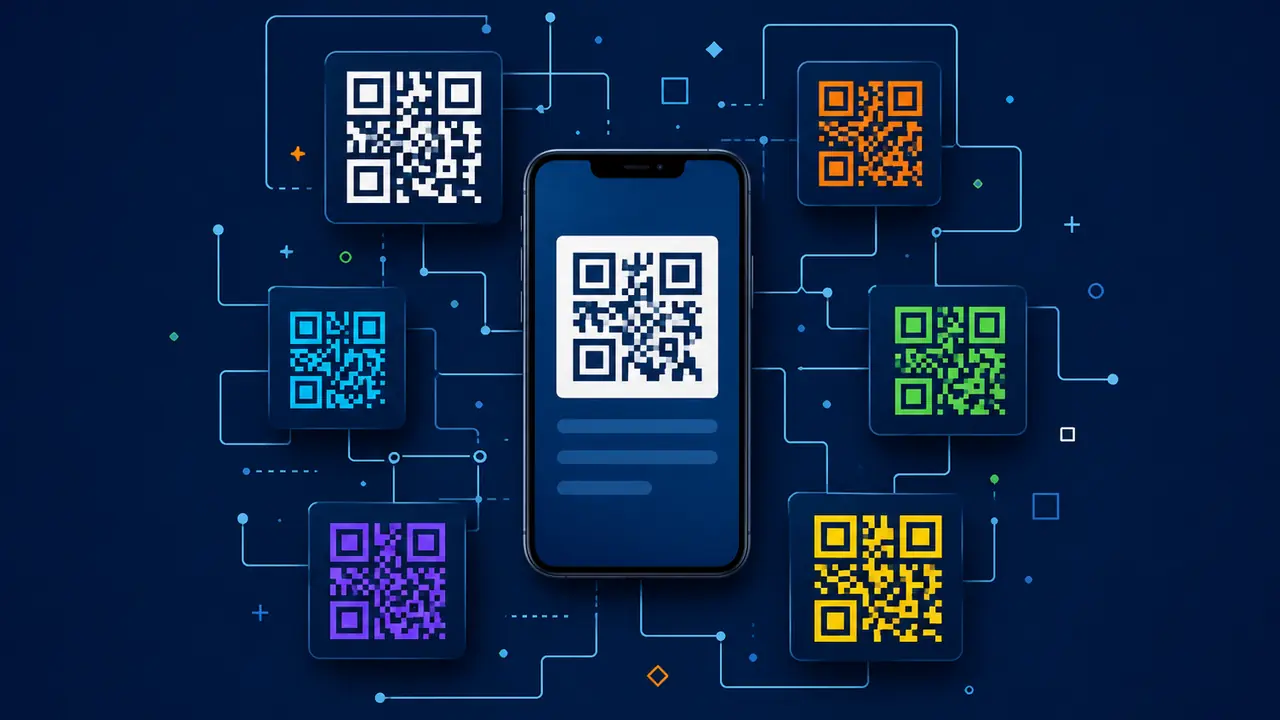
QR codes look like tiny digital mazes. A black-and-white square, a few larger squares in the corners, lots of smaller blocks inside, and somehow your phone knows whether it should open a restaurant menu, connect to Wi-Fi, show a product page, or help you pay for coffee.
It feels almost too simple. You point your camera at a QR code. A link appears. You tap. Done.
But behind that quick scan is a clever technical system built around data encoding, visual patterns, error correction, positioning markers, and decoding software. QR codes are designed to be read quickly, even if they are slightly damaged, tilted, printed on packaging, displayed on a screen, or scanned under imperfect lighting.
They are not magic. They are structured data wearing a checkerboard outfit. And honestly, they pull it off.
What Is a QR Code?
A QR code, short for Quick Response code, is a type of two-dimensional barcode. Unlike a traditional barcode, which stores information in vertical lines, a QR code stores information across both horizontal and vertical directions. (See the full comparison: QR codes vs barcodes.)
That extra dimension allows it to hold much more data than a standard barcode.
A regular barcode is like a narrow sentence. A QR code is more like a compact paragraph arranged into a square.
QR codes can store different types of information, including:
- Website URLs
- Plain text
- Email addresses
- Phone numbers
- SMS messages
- Wi-Fi login details
- Contact cards
- Calendar events
- App download links
- Payment links
- Product information
- Location coordinates
In everyday business use, the most common QR code destination is a URL. A restaurant uses a QR code to open a menu. A brand uses one on packaging to show product instructions. A school uses one to share a worksheet. A retailer uses one to send shoppers to a discount page.
The QR code itself is simply the bridge between the physical object and the digital destination. (For the basics, see what a QR code generator is.)
The Basic Structure of a QR Code
A QR code is not random. Every square has a purpose.
When you look closely, you can see different visual elements working together. Some help the scanner find the code. Some store data. Some help correct errors. Some define the format.
Here are the main parts:
- Finder patterns
The three large squares in the corners help the scanner detect the QR code and understand its orientation. - Alignment patterns
Smaller patterns help the scanner read the code accurately, especially when the QR code is large, curved, or slightly distorted. - Timing patterns
These alternating black-and-white modules help the scanner understand the grid structure. - Quiet zone
The empty margin around the QR code separates it from surrounding design elements. - Data modules
These small black-and-white squares store the actual encoded information. - Format information
This tells the scanner about error correction level and mask pattern. - Version information
Larger QR codes include details about the QR version, which relates to size and data capacity.
So no, the little squares are not just vibing.
They are organized.
The Three Big Corner Squares
The most recognizable part of a QR code is the three large squares in the corners. These are called finder patterns.
They help your phone answer three basic questions:
- Where is the QR code?
- How large is it?
- Which way is it rotated?
This is why a QR code can usually be scanned even if it is tilted. You do not need to hold your phone perfectly straight, because the scanner uses the finder patterns to orient itself.
This matters in real life.
People scan QR codes on restaurant tables, product boxes, posters, tickets, bus stops, bottles, event badges, and laptop screens. They scan while walking, waiting, eating, shopping, or pretending they are not taking too long at the self-checkout.
The finder patterns make scanning fast and forgiving.
Without them, your phone would stare at the code like a confused tourist holding a subway map upside down.
How Information Gets Stored in a QR Code
QR codes store information by converting data into a pattern of black and white modules.
A module is one small square inside the QR code. Each module represents part of the encoded data. The scanner reads the arrangement of these modules and converts them back into usable information.
The process works roughly like this:
- The original data is chosen.
Example:https://example.com/menu - The data is converted into a supported encoding mode.
Depending on the content, the QR code may use numeric, alphanumeric, byte, or kanji mode. - Error correction data is added.
This helps the QR code remain readable even if part of it is damaged. - The data is arranged into the QR grid.
The information is placed in a specific pattern. - A mask pattern is applied.
This improves readability by avoiding confusing visual patterns. - Format and version information are added.
This helps scanners decode the QR code correctly. - The final QR code image is generated.
It can be printed or displayed digitally.
The user sees a square; the scanner sees a bit stream with a repair kit attached.
What Happens When You Scan a QR Code With Your Phone?
The scanning process feels instant, but several things happen quickly in the background.
Here is the simplified version:
- The camera detects the QR code.
It identifies the square shape and finder patterns. - The phone corrects perspective.
If the code is tilted, the software adjusts the image. - The scanner reads the grid.
It separates black and white modules. - The data is decoded.
The encoded pattern is converted back into text, URL, or another data type. - Error correction is applied.
If part of the code is damaged or unclear, the scanner tries to reconstruct the missing data. - The phone shows an action.
It may open a link, connect to Wi-Fi, show text, start a call, or display contact details. - The user confirms the action.
Usually, the user taps the link or accepts the prompt.
Modern smartphone cameras make this feel effortless because QR scanning is built into the camera experience on most devices.
No separate scanner app. No ritual. No chanting at the camera. Usually.
Why QR Codes Can Be Scanned From Different Angles
QR codes are designed to be scanned from many angles.
The finder patterns, alignment patterns, and timing patterns help the scanner understand orientation and correct perspective. If the QR code is slightly rotated, tilted, or viewed from an angle, the scanning software can often adjust the image and still decode it.
This is essential because QR codes are used in real-world conditions.
Nobody scans a QR code like a laboratory robot. People scan while standing in line, holding shopping bags, sitting at a restaurant table, walking through an event, or trying to get Wi-Fi at a hotel before their patience expires.
Still, there are limits.
A QR code may fail if it is:
- Too distorted
- Too far away
- Too small
- Too blurry
- Too reflective
- Too curved
- Too damaged
- Poorly lit
- Low contrast
- Partly hidden
A QR code on a flat poster is easier to scan than one wrapped around a tiny shiny bottle. A QR code on a table tent is easier than one printed on wrinkled packaging.
The technology is flexible, not invincible.
How QR Codes Open Websites
Most business QR codes open websites.
Technically, the QR code contains a URL. When scanned, the phone recognizes that the decoded data is a web address and prompts the user to open it in a browser.
For example:
https://restaurant.com/menu
The phone camera reads the QR code, decodes the URL, and displays a link. When the user taps it, the browser opens the page.
For dynamic QR codes, the first URL may be a short redirect link. That redirect link then sends the user to the final page.
This is how QR codes connect offline materials to digital experiences.
A McDonald's poster might send users to an app offer. A Sephora shelf display might open product reviews or tutorials. A local café table card might open the breakfast menu. A university poster might open an event registration form.
The QR code is not the website - it is the shortcut to it.
QR Codes and Error Correction: A Simple Example
Imagine a QR code on a coffee bag. A customer opens the package, folds the top, and slightly damages part of the printed code.
If the damage is small, the QR code may still scan because error correction fills in the missing information.
Here is what happens conceptually:
- The scanner reads the visible modules.
- Some parts appear missing or unclear.
- Error correction data helps reconstruct the original message.
- The scanner decodes the URL.
- The customer opens the brewing guide.
That means a coffee brand like Starbucks, Lavazza, or a small local roaster can use QR codes on packaging without expecting laboratory-perfect conditions.
But error correction has limits. If the code is badly torn, covered, or printed with poor contrast, it may fail.
Error correction is a safety net. It is not a superhero cape.
Common Myths About How QR Codes Work
Myth 1: QR Codes Need the Internet to Be Scanned
Not always. A QR code containing plain text, contact details, or Wi-Fi credentials can be decoded without internet. But if it opens a website, payment page, video, or online form, the user needs internet access.
Myth 2: QR Codes Wear Out After Too Many Scans
They do not. A QR code can be scanned repeatedly. The physical print can wear out, and the destination can break, but the digital pattern does not get "used up." (More myths cleared up in QR code myths debunked.)
Myth 3: All QR Codes Can Be Edited
No. Static QR codes cannot be edited after creation. Dynamic QR codes can usually have their destination changed.
Myth 4: A Logo Makes a QR Code Unscannable
Not necessarily. A logo can work if the QR code has enough error correction, contrast, and readable data. But a logo that covers too much can break the code. (See how to design high-scanning codes and why some codes fail to scan.)
Myth 5: QR Codes Are Just Links
Many are links, but QR codes can also store text, contact cards, Wi-Fi details, calendar events, payment data, and more.
Myth 6: Bigger Is Always Better
Bigger helps scanning from a distance, but the right size depends on placement, scan distance, and data density. A billboard QR code and a business card QR code have different requirements.
Simple on the Surface, Smart Underneath
QR codes work by turning information into a structured square grid that phones and scanners can read quickly. Finder patterns show the scanner where the code is. Data modules store information. Error correction helps the code survive damage. Encoding modes make different types of data compact. Dynamic redirects make business QR codes editable and trackable.
For users, the experience is simple: scan and open.
For businesses, the technology creates a flexible connection between physical materials and digital actions. A restaurant menu, product package, event badge, school worksheet, retail poster, or business card can become interactive with one small code.
One caveat before you go print one: the code is only half of the experience. The encoding can be flawless, but if the destination is a slow page, a broken link, or an offer that expired in March, nobody will care how elegant the error correction is.
A good QR code scans easily, says what it is for, opens fast, and lands people exactly where they expected.
Want to make one? Create a free QR code and see the structure in action.